Slime Studio Guides & Walkthroughs
From first stretch to smarter unlocks — every tutorial in one place.
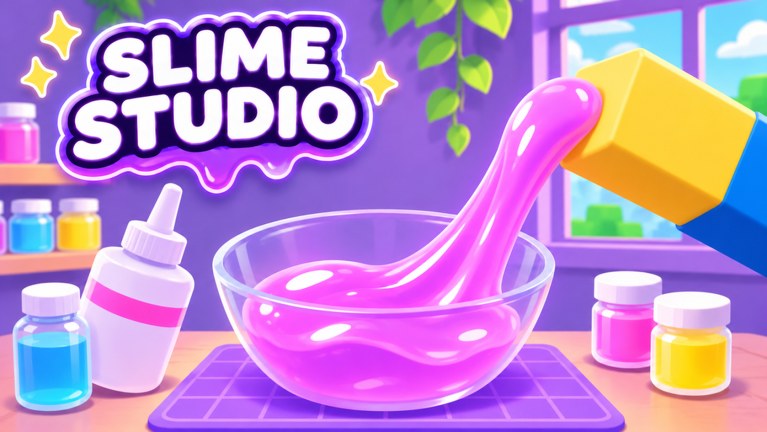
The Guides Hub is the main map of tutorials for Slime Studio, the Roblox ASMR slime sandbox from Sunset Community Studio. Whether you just joined a busy 8-player server or you are hunting a specific ingredient unlock, start here and jump into the child guide that matches your goal. The loop is simple on the surface — mix, stretch, squish, experiment — but colour recipes, textures, tools, and shop pacing reward players who learn systems instead of mashing inputs.
Start here if you are new
Open Getting Started for a day-one checklist: how to enter the studio, claim the free like-and-join reward covered on the Codes Hub, find basic tools, and survive your first co-op session without feeling lost. Pair that with Controls so stretch, squish, camera, and mobile / desktop inputs feel intentional. Slime Studio sells itself on tactile ASMR feedback; good control habits make that feedback clearer.
Core crafting loop
The heart of the game is playful chemistry. How to Make Slime walks through mixing colours, layering textures, and reading what each ingredient does when you fold it into a batch. Treat early sessions as experiments: note which combinations feel glossy, matte, sticky, or fluffy, then refine. When you outgrow starter stock, move to Unlock Ingredients for progression gates and sensible unlock order. Do not blow early currency on cosmetics before you understand which materials actually change the feel of your slime.
Spending and progression
The Shop Guide explains how to read prices, which packs help beginners, and when to save for tools versus colour packs. Cross-check purchases against the Ingredients Tier List and Textures & Tools Tier List so your Robux or in-game currency (when relevant) tracks meta value instead of impulse buys. Brand-new games iterate fast — skim the Updates Hub and Patch Notes after patches so outdated shop advice does not strand you.
Co-op and community learning
Slime Studio supports online co-op for up to 8 players. Guides help solo, but watching another player fold a perfect stretch teaches faster than text alone. Use the Players Hub and Community pages for etiquette, group links, and how to find chill ASMR sessions instead of chaotic grief lobbies. If someone shares a “must-run script,” send them to the Scripts Hub and Script Safety rather than pasting blind.
What each guide is for
- Getting Started — first hour, rewards, orientation
- How to Make Slime — mixing, colours, textures, recipe habits
- Controls — input map for stretch, squish, camera, platforms
- Unlock Ingredients — progression order and gates
- Shop Guide — spending priorities and pack value
- ASMR Tips — volume, stretch audio, quiet servers, recording habits
- Color Recipes — pastel, neon, monochrome, and swirl palettes
How to use this wiki with the game open
- Skim Getting Started once, then jump in-world.
- Keep Controls nearby until muscle memory sticks.
- After you can make a basic batch, read How to Make Slime for deeper technique.
- When the shop tempts you, check Unlock Ingredients and the tier lists first.
- After every major patch, revisit Updates so recipes and prices still match live build reality.
Related hubs
- Codes Hub — free rewards and future promo drops
- Tier List Hub — ranked ingredients, textures, and tools
- Scripts Hub — safety-first scripting notes
- Links Hub — official Roblox page and Sunset Community Studio group
This hub will grow as Sunset Community Studio ships systems. If a mechanic is missing, check Updates first — then come back. Clear, practical guides beat filler walkthroughs, and every page here aims at real player search intent: how to play, how to mix, how to unlock, and how to spend wisely in Slime Studio.
Frequently Asked Questions
Quick answers to the most common questions.
Which guide should I read first?
Start with Getting Started, then Controls. Once you can move and mix comfortably, read How to Make Slime and Unlock Ingredients before big shop purchases.
Does Slime Studio support co-op?
Yes. It supports online co-op with up to 8 players. Community and Players pages cover etiquette and how to find calmer sessions.
Where do I learn the mixing loop?
How to Make Slime covers colours, textures, and experiment habits. Pair it with the Ingredients and Textures & Tools tier lists for priority picks.
Should I buy shop packs immediately?
Not until you understand unlocks. Use the Shop Guide plus Unlock Ingredients so early currency goes toward materials that change gameplay feel.
How often are guides updated?
After meaningful patches. Cross-check the Updates Hub and Patch Notes whenever Sunset Community Studio ships new tools, ingredients, or shop changes.