Getting Started with Slime Studio
Your first session checklist for the ASMR slime sandbox �?rewards, volume, mixing, and what to unlock next.
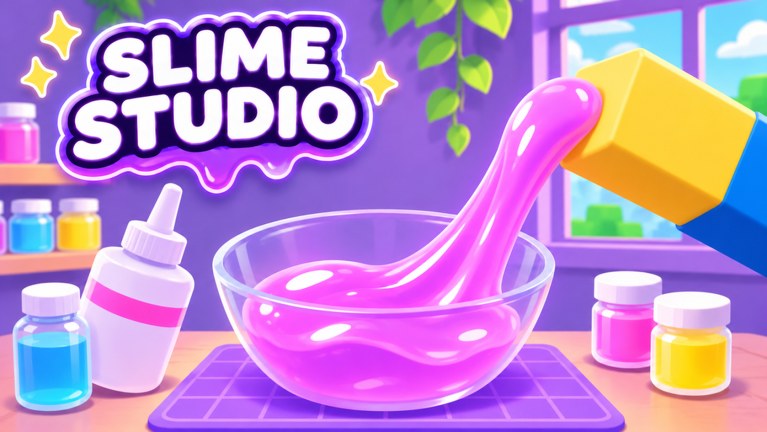
Slime Studio [SANDBOX] by Sunset Community Studio is a free-to-play Roblox ASMR sandbox where you mix, stretch, and squish slime with colours, textures, and ingredients. Servers are online with a small player cap (up to eight), so sessions stay calm enough for audio-focused play. This guide covers what to do on day one: claim the free Like + Join reward, set volume for ASMR, learn the basic mix loop, and plan your first unlocks without wasting progress.
Before you join
Open the official experience on Roblox. Favourite the game so it is easy to find later. The description asks you to like the game and join the group for updates and a free reward �?do both before or right after your first join so you do not forget. Group membership and a like are free support for the studio and usually unlock a starter gift inside the experience.
If you play with friends, agree on volume etiquette: ASMR slime audio is the point of the sandbox. Headphones help; loud speakers in a shared room can spoil the effect for everyone else in voice chat.
First-session goals (15�?0 minutes)
Treat your first visit as a soft tutorial, not a speedrun. Aim for these concrete goals:
- Claim the Like + Join reward as soon as the UI shows it. Confirm the gift in inventory or on your slime station so you know it applied.
- Raise game volume and test stretch and squish sounds. If audio is muted in Roblox settings or OS mixer, the sandbox loses half its appeal.
- Make one complete slime from base mix through colour and at least one texture or ingredient. Finish a stretch and a squish so you feel the physics.
- Open the shop and unlock panels without buying everything. Note what is free to unlock through play versus what costs currency.
- Bookmark this wiki for controls, how to make slime, and unlock ingredients when you need deeper steps.
You do not need perfect recipes on day one. The sandbox rewards curiosity: try odd colour mixes, soft versus crunchy textures, and different tool unlocks as they appear.
The core loop in plain language
Slime Studio is built around a satisfying craft loop:
- Mix base slime and fold in colours, textures, and ingredients.
- Stretch and squish to hear ASMR cues and check how the batch feels.
- Unlock new tools and ingredients by playing and progressing.
- Shop for special items when you have currency and a clear goal.
- Repeat with wilder combinations as your palette grows.
Progression is not a combat grind. Playtime, experimentation, and smart shop choices expand what you can create. Use the shop guide later when you decide what is worth buying early; on day one, prioritize free unlocks and the Like + Join gift.
Volume and ASMR setup
Turn up in-game volume and check Roblox client audio. Wear headphones if you can. Stretch slowly, then squish firmly, and listen for crisp, gooey feedback. If sounds feel thin, lower music or ambient layers if the experience exposes those sliders, and keep SFX high. ASMR-focused players often sit closer to the mic-free side of the room and avoid overlapping voice chat while mixing.
Accessibility tip: if loud peaks bother you, keep overall volume moderate but do not mute SFX entirely �?you need the audio cues to judge stretch tension and squish response. Pair this with the controls page for camera and drag settings that reduce motion strain.
Unlock loop overview
Expect two tracks:
- Playtime unlocks �?ingredients, tools, and textures that open as you keep mixing and using the sandbox.
- Shop purchases �?special items you buy when you are ready, not on impulse.
Early priority should be ingredients and tools that widen basic mixes, not every cosmetic flash. Read unlock ingredients for a first-buy and first-unlock order. Check codes whenever the studio drops promo rewards so you do not miss free currency or items. When you want opinionated rankings of textures and ingredients, open the tier list hub.
Social sandbox notes
Max eight players means servers stay intimate. Share the station politely: do not clear someone else’s mix without asking. Show off a stretch, then give space. If a friend is new, walk them through colour then texture before dumping every ingredient at once �?overload makes batches muddy and harder to learn from.
What to do next
After your first slime and reward claim:
- Follow the full mixing workflow in How to Make Slime.
- Learn PC and mobile inputs on Controls.
- Plan progression with Unlock Ingredients and spending with the Shop Guide.
- Redeem anything live on Codes and browse rankings on the Tier List.
Slime Studio launched on 1 November 2026 and is still brand new. Expect UI labels, shop stock, and unlock order to expand in updates. Revisit this page after major patches, and keep volume up �?the goo is the soundtrack.
Frequently Asked Questions
Quick answers to the most common questions.
Is Slime Studio free to play?
Yes. Slime Studio [SANDBOX] is free on Roblox. Optional shop items and Robux purchases may exist, but you can mix and unlock through normal play.
How do I get the free Like + Join reward?
Like the experience on its Roblox page and join Sunset Community Studio’s group, then claim the in-game reward when the UI offers it. Both steps are free.
Why should I turn up the volume?
The game is built around ASMR slime audio. Stretch and squish feedback is a core part of the sandbox; muted SFX hide what the mix is doing.
How many players are in a server?
Servers are online with a small cap (up to eight players), which keeps sessions calmer for shared mixing and audio focus.
What should I unlock first?
Prioritize ingredients and tools that expand basic mixes before spending on every shop specialty. See Unlock Ingredients and the Shop Guide for detail.